
In this blog post, you will learn how to implement PDF view with pinch-zoom in
xamarin forms.
Introduction
Xamarin.Forms code runs on multiple platforms, each of which has its own
filesystem. This means that reading and writing files are most easily done
using the native file APIs on each platform. Alternatively, embedded resources
are a simpler solution to distribute data files with an app.
PDF Viewer
The Problem(Android)
PDFView doesn't support the default webview in android xamarin forms.
PDFView is the biggest issue in android webview. I solved this problem by
using google drive viewer and google doc viewer.
there is another way to view pdf files using pdfjs. but pdfjs doesn't support
pinch zoom.
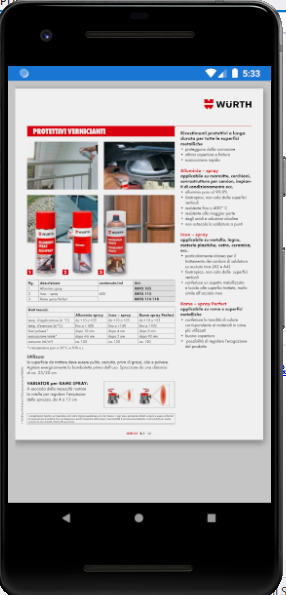
Note: The pdf URL must be extension.PDF and public.
Prerequisites
- Visual Studio 2017 or later (Windows or Mac)
Setting up a Xamarin.Forms Project
Start by creating a new Xamarin.Forms project. You will learn more by going
through the steps yourself.
Create a new or existing Xamarin forms (.Net standard) Project with Android
and iOS Platform.
Choose the Mobile App (Xamarin. forms) project under C# and Mobile.
Name your app. You probably want your project and solution to use the same
name as your app. Put it on your preferred location for projects and click
"Create".
Now, select the blank app and target platforms - Android, iOS, and Windows
(UWP).
Subsequently, go to the solution. In there, you get all the files and sources
of your project (.NET Standard). Now, select the XAML page and double-click to
open the MainPage.Xaml page.
You now have a basic Xamarin.Forms app. Click the Play button to try it out.
Create a Custom Webview
Here going to create a custom webview inherit from webview for custom
rendering. I'm going to create two bindable properties following.
- Uri
- IsPDF
PDFView.cs
Android Implementation
Here, Create a custom renderer for webview. for android the webview doesn't
support pdf file preview. so I'm going to view pdf files Google drive viewer.
Note: The Url must be an extension .PDF and public.
Another Solution
PDFViewRenderer.cs
iOS Implementation
Here, Create a custom renderer for webview to load pdf files in webview.
PDFViewRenderer.cs
Consuming the CustomWebview
Here, consume the Custom Webview in your xaml
Add Namespace
Add your Custom Webview
PDFView.xaml
PDFView.xaml.cs
Click the "Play" button to try it out
Android
You can test Pinch zoom by emulator also use Shift + ctrl + Left click and
mouse move

iOS
Simulator also supports pinch-zoom use Alt + Left click and mouse move

Wow, It's working.
I hope you have understood how to implement PDF view with pinch-zoom in
Xamarin.Forms.
Thanks for reading. Please share your comments and feedback. Happy Coding :)
